PixelBrokers OS
Setup
- No coding knowledge required
- No coding experience required
- No additional code required
- It will take less than a minute
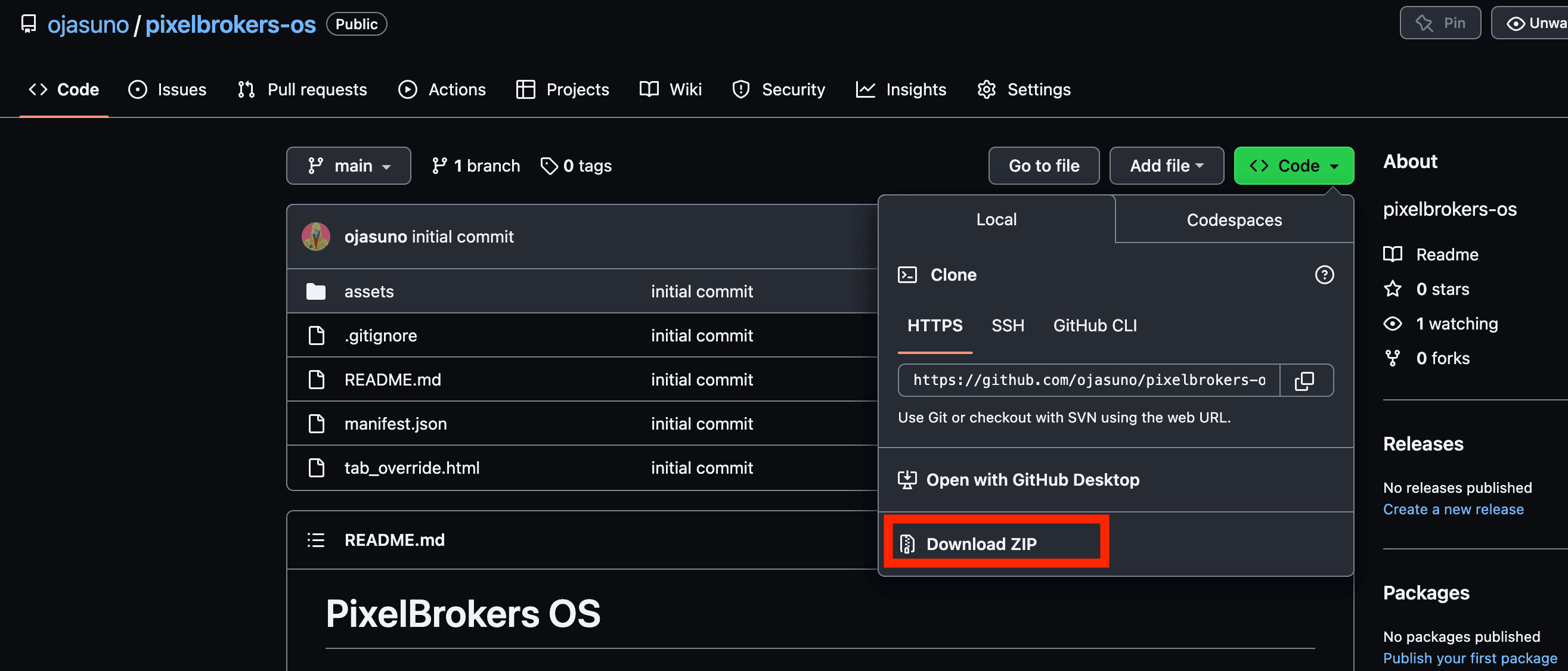
1. Download PixelBrokers OS (opens in a new tab)
Click the green "Code" button and select "Download ZIP". Save it in a safe spot!
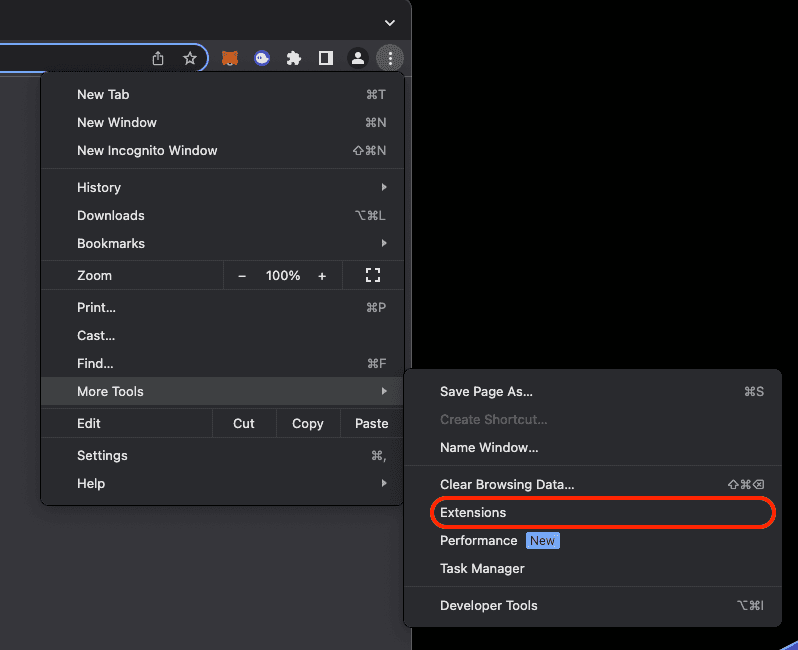
2. Turn ON Developer mode
Open your browser and head to the "Extensions" section. This is found in the settings portion of your browser! Checkout the screenshot below:
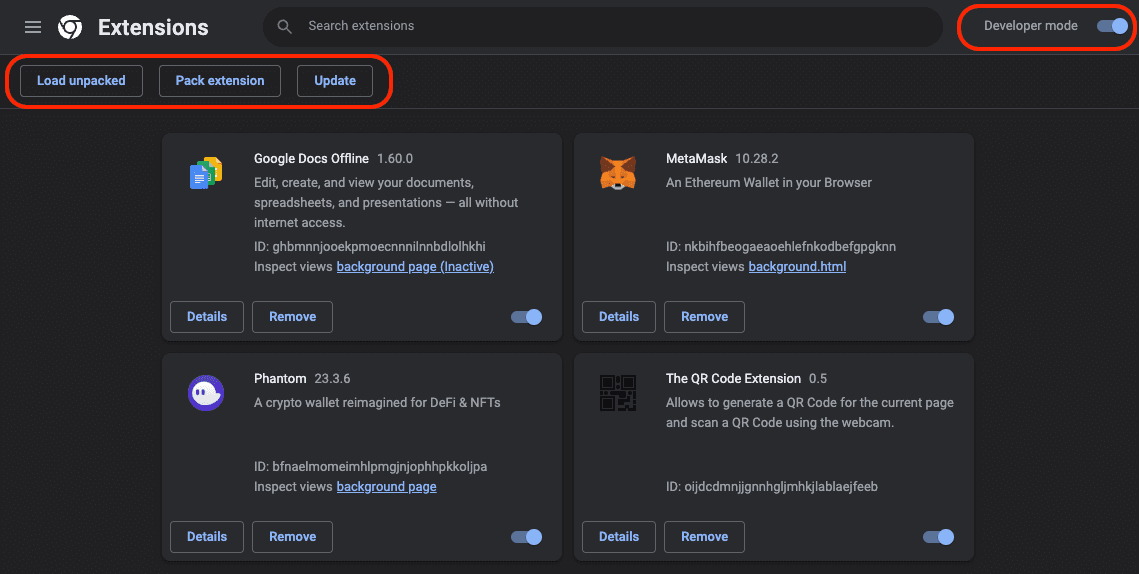
Once you get there you'll see "Developer mode" in the top right. Make sure to toggle that on and then you'll see new options (we're gonna be using "Load unpacked")
3. Add this app to your browser
You're at the final stretch! Press the "Load unpacked" option, and then go to the folder where you saved pixelbrokers-os. It should look something like this:
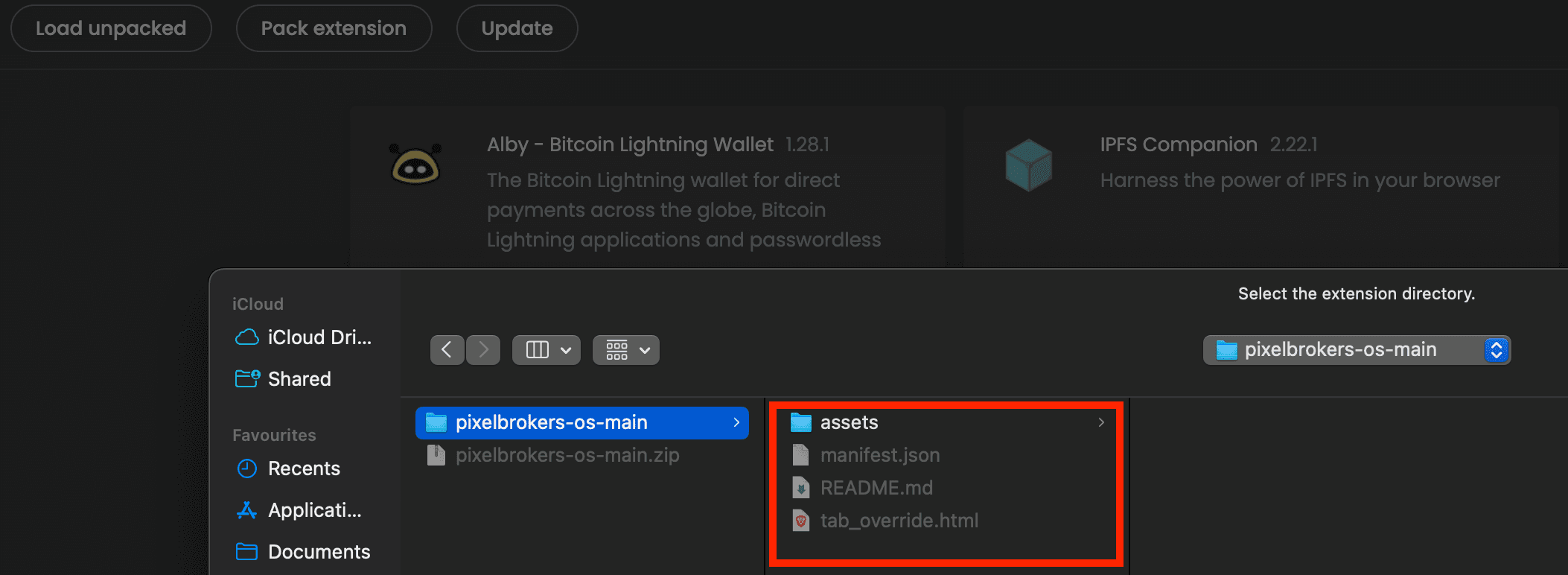
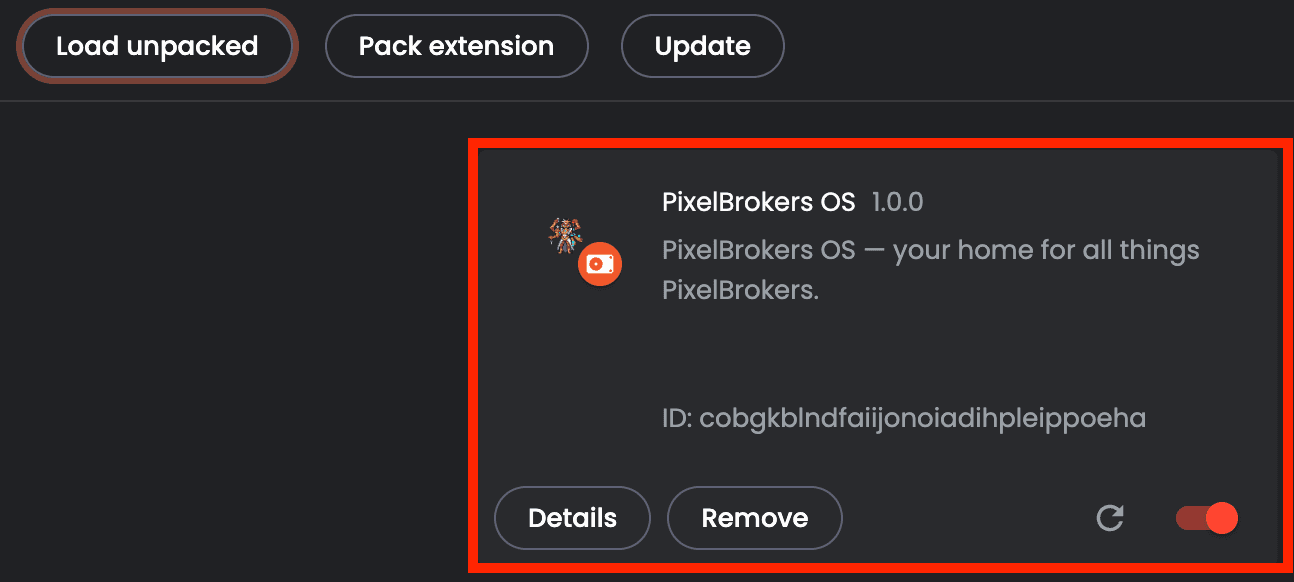
After you select it, you should see this (nice you did it!)
Open a new Tab
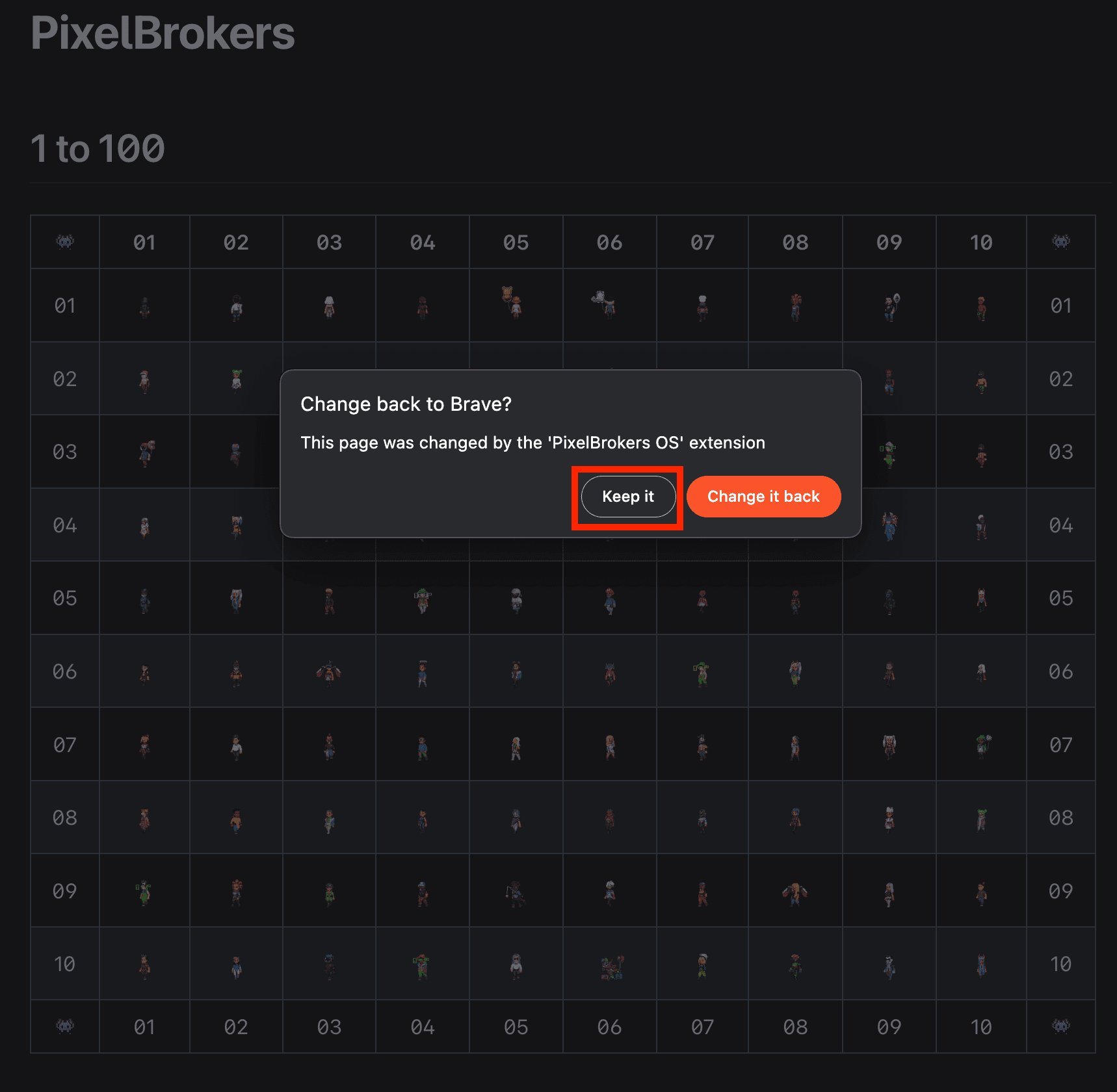
Now you can see this thing in action! Open a new tab and you'll notice that there is a prompt saying that the page was changed by the buildspace os extension. Make sure to select keep it or it will not work.